Wireless Thermostat User Manual
Installation
1. Preparation
To install your BlueRange Wireless Thermostat Basic V1, you need the following:
-
The thermostat itself
-
2x AA batteries
-
BlueRange Setup App or BlueRange IoT Platform for device enrollment
-
QR Code containing the serial number and node key for device enrollment.
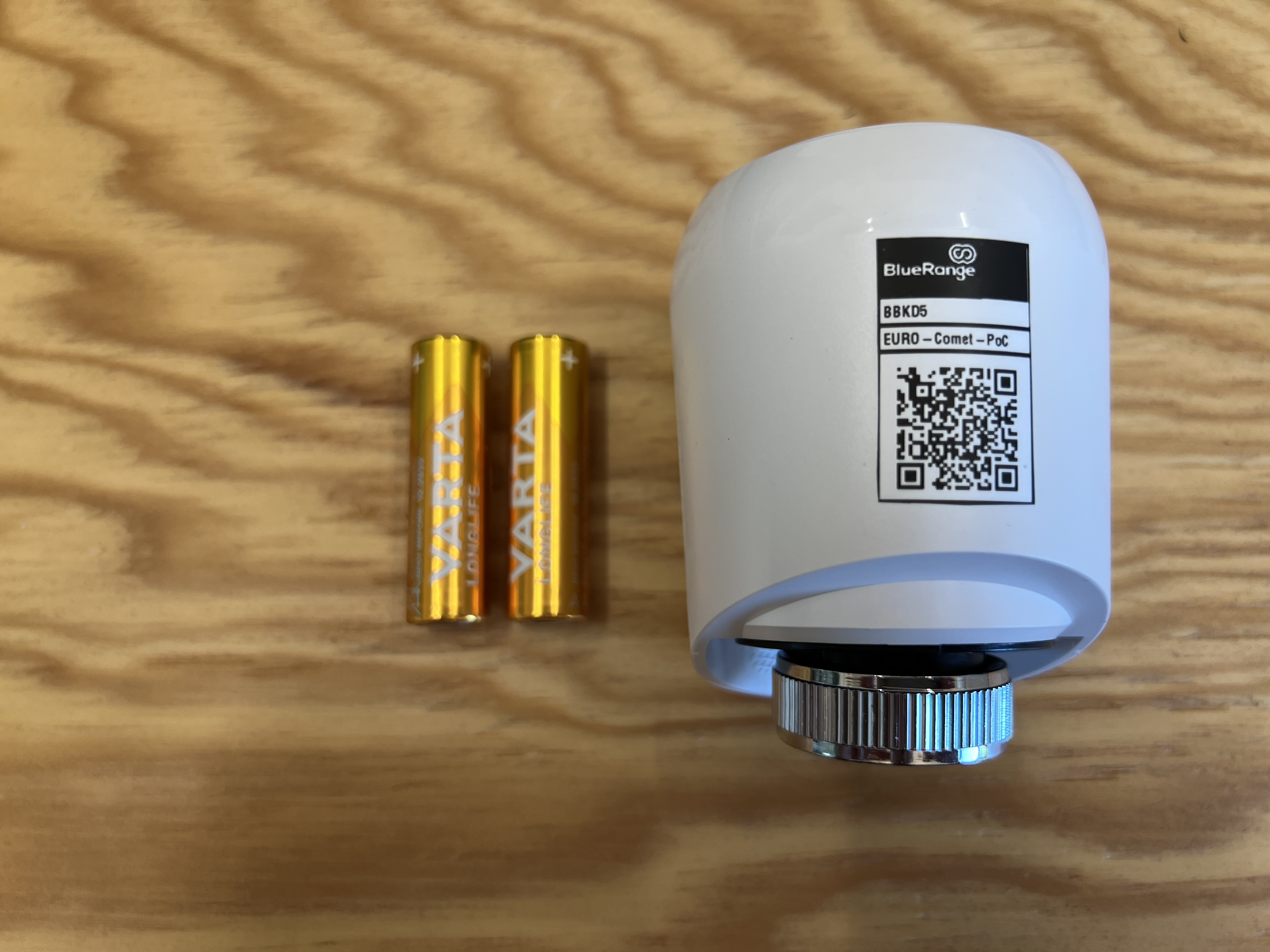
| You can click on images to zoom in. |
2. Scan QR Code
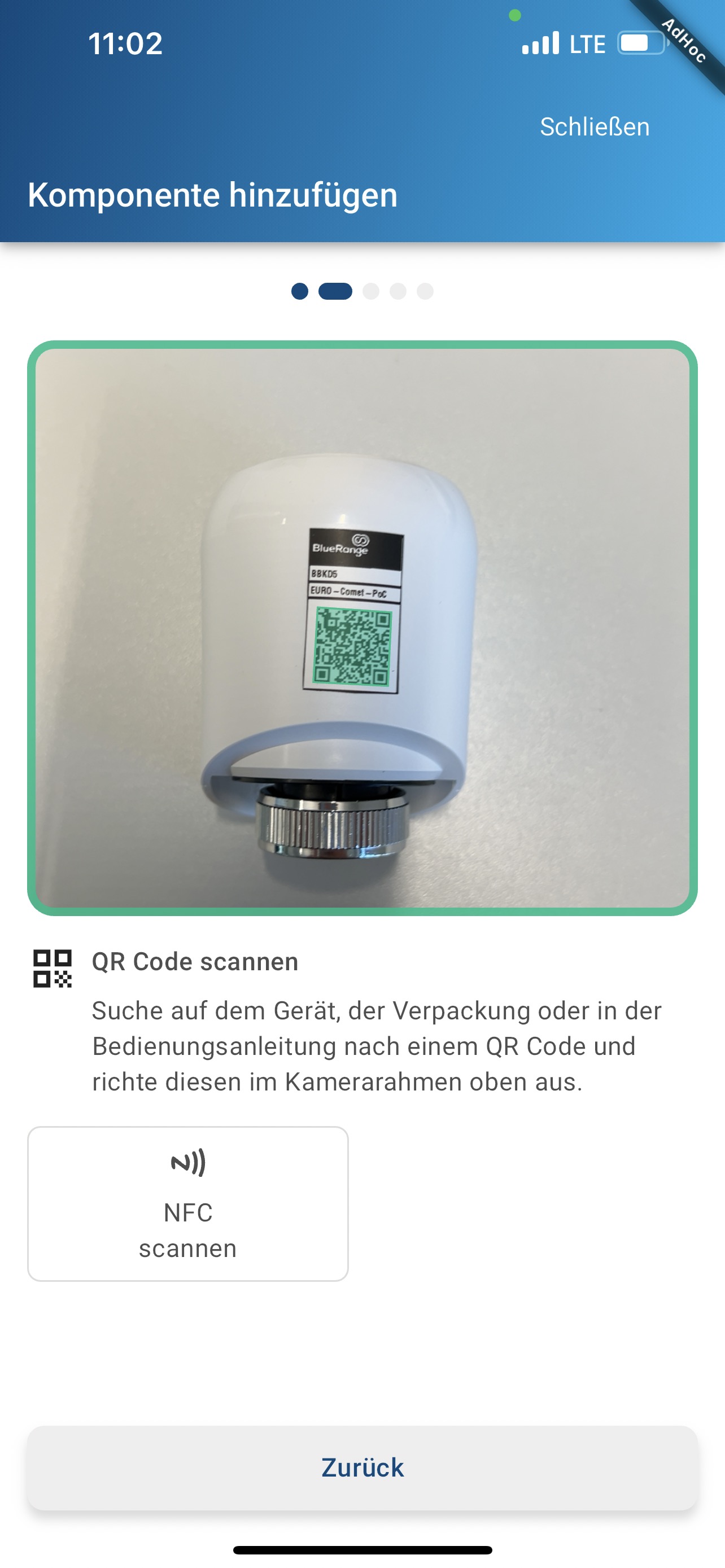
Scan the QR code e.g. with the BlueRange Setup App. This requires a building, floor and network to be set up already.
On the home screen, press Add component.
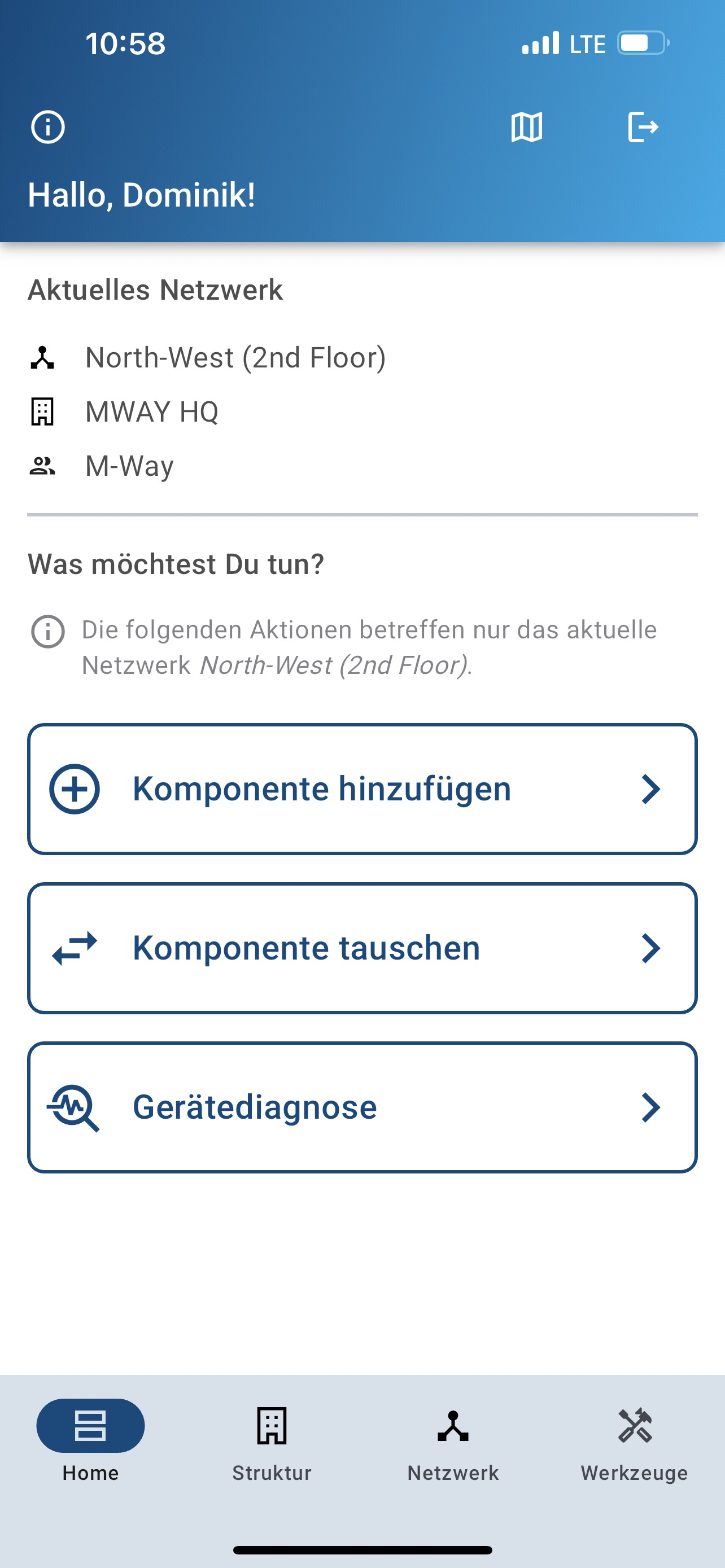
Go through the wizard and scan the QR code as shown below.
If you have a floor plan, you can position your device and give it a name.
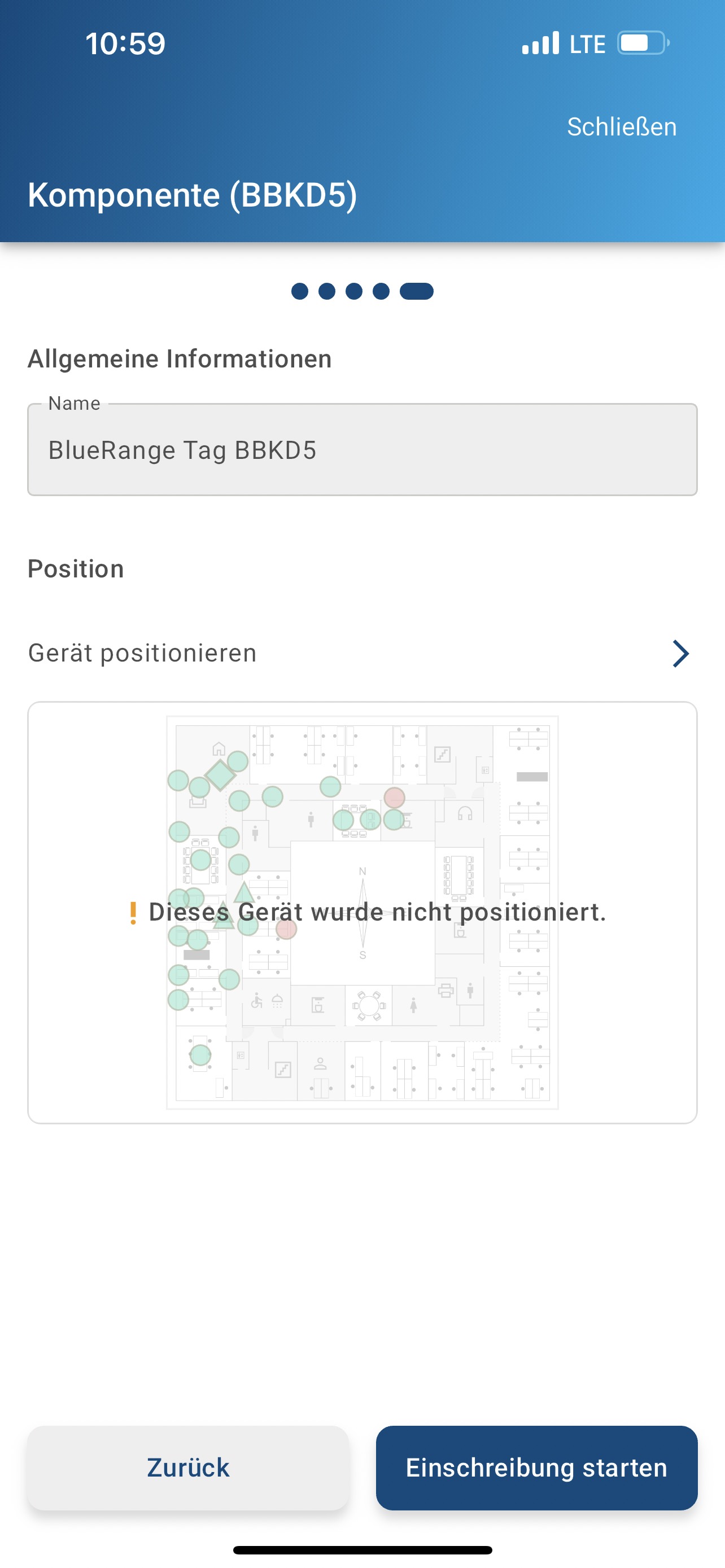
You can read more about the process in the enrollment section.
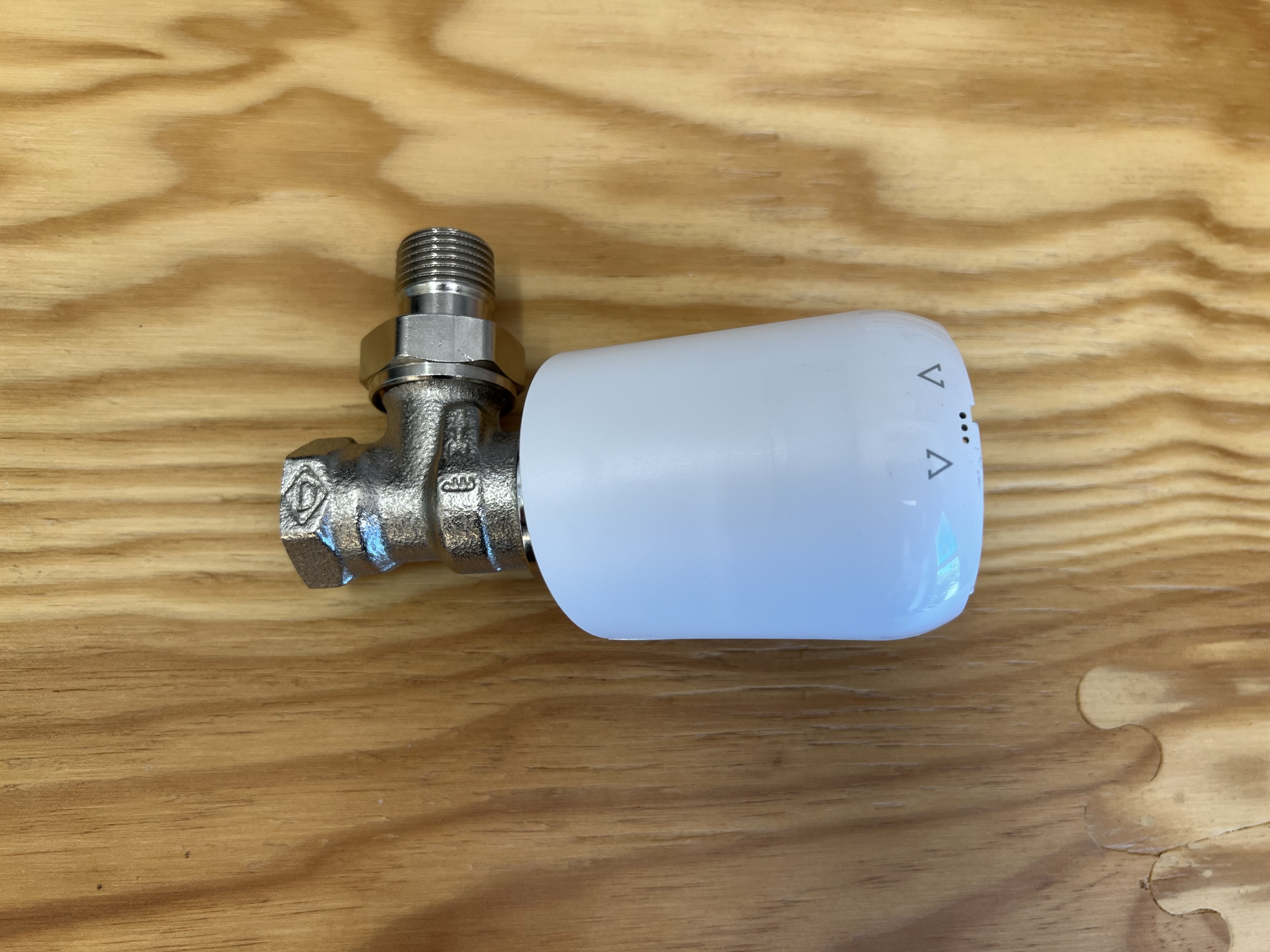
4. Insert batteries
Open the lid, insert the batteries and close the lid again. Make sure the polarity is right: the batteries need to face in opposite directions.
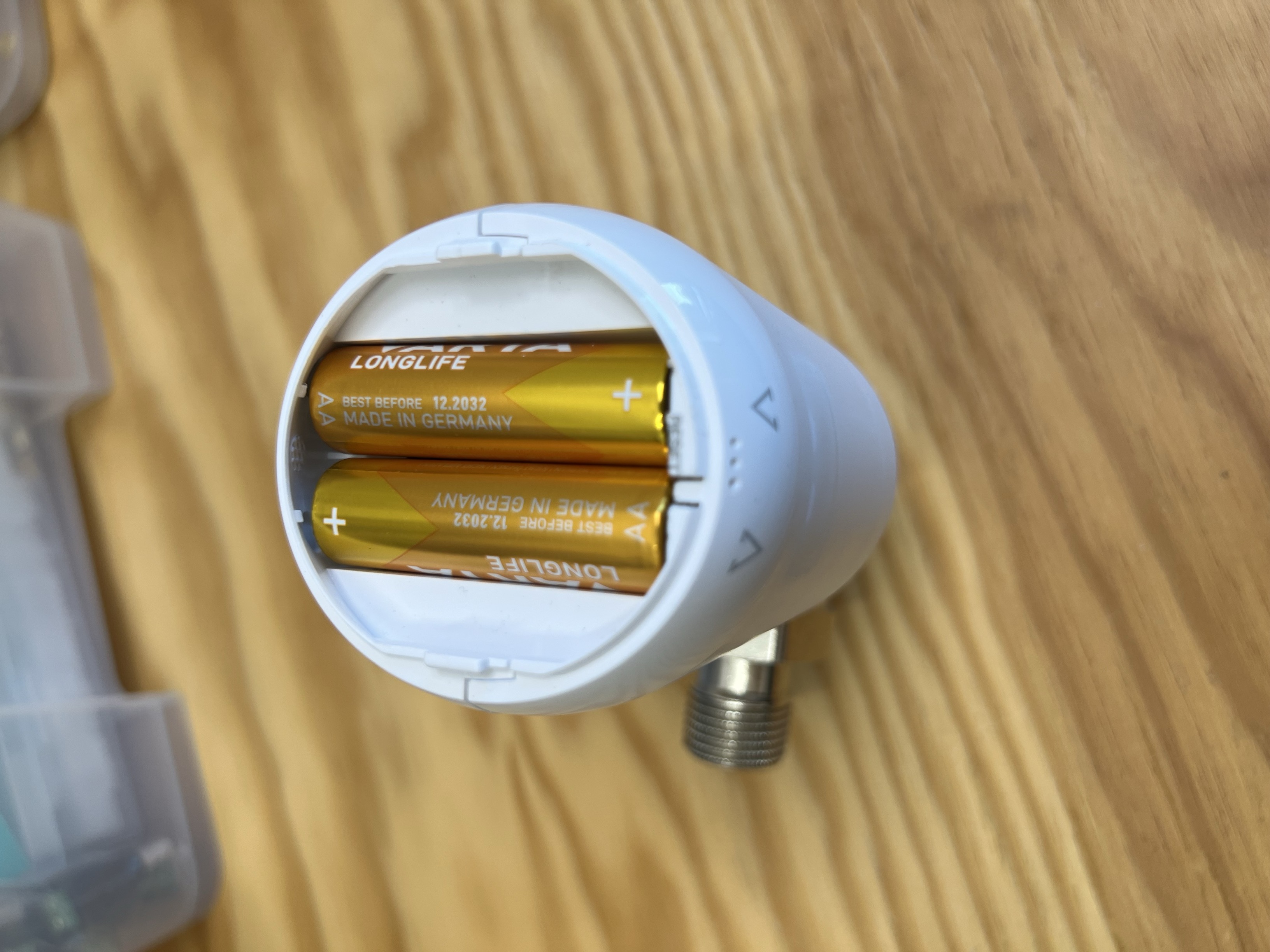
The display should light up. If it doesn’t, double check the polarity and ensure that the batteries aren’t empty.
It is likely that the motor starts moving and displays Ad after some time.
5. Adaptation
Withing 30 seconds, adaptation should start automatically. The motor will calibrate its position.
If you see an error code (e.g. E3) make sure the thermostat is mounted correctly and is not loose.
When finished, the default setpoint temperature of 21°C will be displayed:
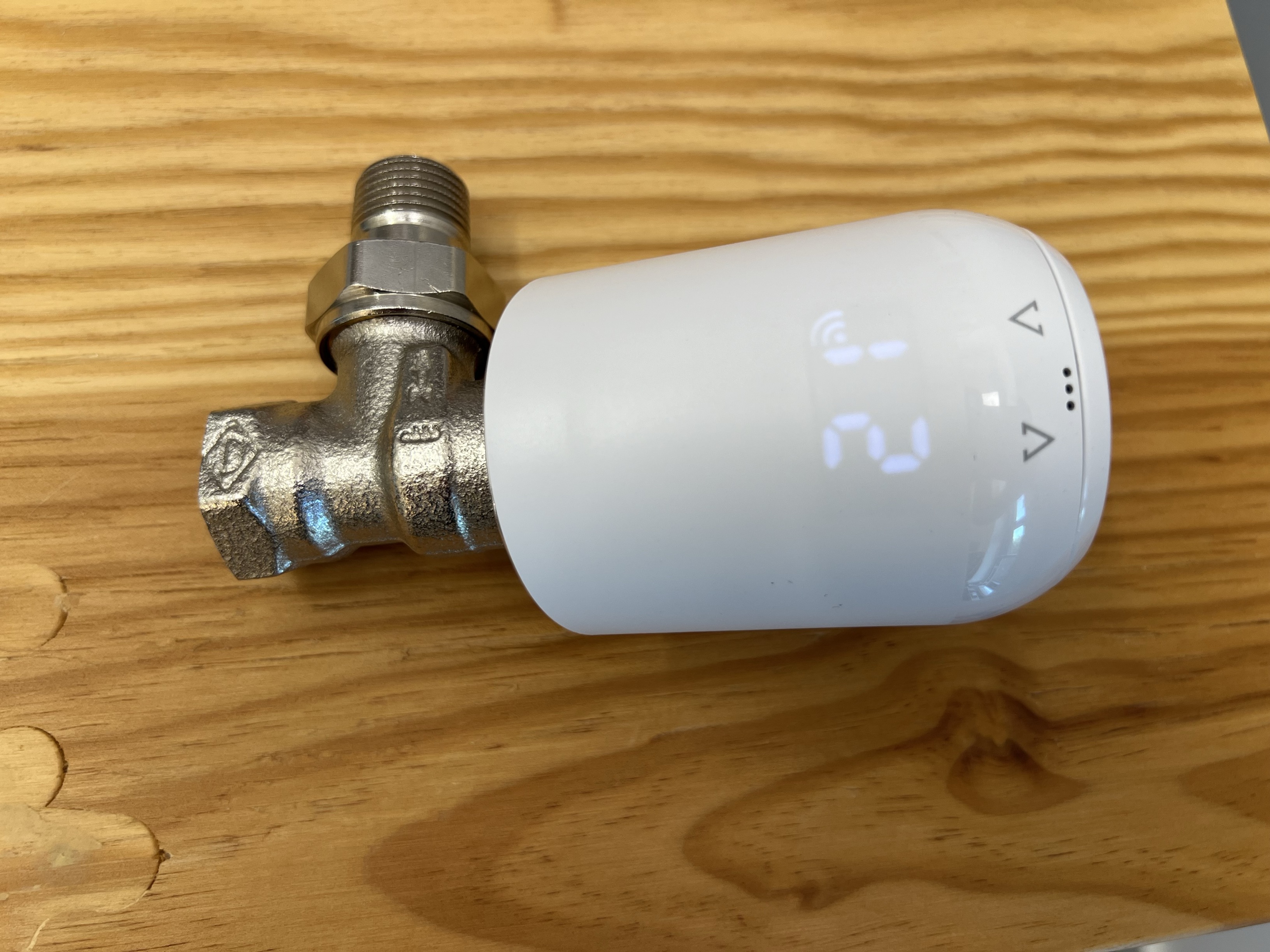
If adaptation does not happen automatically and the display shows "Ad", press and hold both buttons (+ and -) until the display shows an animation and the adaptation starts.
6. Enrollment
If you’ve scanned the QR code, the device will now be enrolled.
| If more than 5 minutes have passed since scanning the QR code, the enrollment needs to be restarted through the BlueRange Portal. |
7. Perform an update
Although the device should work out of the box, it is likely that functionality has been added since initial production.
We recommend enrolling all devices first and then updating all devices at once. After all your devices are enrolled, start the update via the BlueRange Portal.
Information regarding updates through the BlueRange IoT Platform can be found here.
8. Configuration
The default configuration might already be applied by the device catalog and by default should display sensor data and expose controls like setting the temperature.
A custom configuration can be created. Check out the configuration manual for more information.
The following table explains the most important sensors and actuators that are included in the default configuration.
| Sensor type | Explanation |
|---|---|
SETPOINT_TEMPERATURE |
Target temperature that the user has configured. |
ACTUAL_TEMPERATURE |
Last measured value of the thermostat’s internal temperature sensor in Celsius. Per default, the thermostat tries to reach the setpoint. |
EXTERNAL_TEMPERATURE |
Temperature that has been synced to the thermostat, e.g. the current room temperature. If set, the thermostat controls the valve to match the external temperature to the setpoint instead of the internally measured temperature. |
USES_EXTERNAL_TEMPERATURE |
On/off whether the thermostat tries to match the external or the internal temperature to the setpoint. |
MIN_TEMPERATURE |
The minimum setpoint that can be configured with the buttons or the app. |
MAX_TEMPERATURE |
The maximum setpoint that can be configured with the buttons or the app. |
VALVE_POSITION |
Percentage of the valve opening. 0% means fully closed, 100% fully open. |
WINDOW_TIMER_ACTIVE |
On/off whether the thermostat has detected an open window due to a rapid decline of the internal temperature. In that case, the valve is being closed for 15 minutes. |
BATTERY |
State of charge in %. |
ERROR_FLAGS |
1 = "unable to detect valve or valve is not mounted to the device", 3 = " cannot move the valve, valve is either stuck or broken" |
CHILD_PROTECTION |
On/off. When enabled, it is not possible to change the setpoint temperature with the buttons. |
HEATING_OFF |
On/off. Whether the heating is turned off, meaning the valve fully closes and should not try to reach the target temperature, e.g. in summer. |
HEATING_MODE |
On/off whether the mode is set to "heating". When active, the thermostat uses the "setpoint temperature" as a target temperature. |
ENERGY_SAVING_MODE |
On/off whether the mode is set to "energy saving". When active, the thermostat uses the "energy saving temperature" as a target temperature, which is currently not exposed as a sensor/actuator. |
FLAG_x |
The raw bit-wise data from which many sensor data points can be derived, like HEATING_MODE. Refer to the development documentation for details. |
MESH_ACCESS_DURATION |
Used for debugging purposes. It shows how many seconds an actual connection to the Mesh has been established since the last reboot. |
| Actuator type | Explanation |
|---|---|
SET_SETPOINT_TEMPERATURE |
Sets the setpoint temperature in Celsius with a resolution of 0.5 and a range from 8 °C to 28 °C. |
SET_EXTERNAL_TEMPERATURE |
Temperature that has been synced to the thermostat, e.g. the current room temperature. If set, the thermostat controls the valve to match the external temperature to the setpoint instead of the internally measured temperature. |
RESET_EXTERNAL_TEMPERATURE |
This is used to disable the external temperature and go back to using the actual temperature for the control loop. |
TRIGGER_ADAPTATION |
Triggers the adaption, which calibrates the device for the valve it is mounted to. It shows an error if the valve is not properly mounted. This actuator should only be used once after installation, if necessary. |
SET_MIN_TEMPERATURE |
Configure the minimum setpoint that can be set with the buttons or the app. |
SET_MAX_TEMPERATURE |
Configure the maximum setpoint that can be set with the buttons or the app. |
SET_CHILD_PROTECTION |
When enabled, it is not possible to change the setpoint temperature with the buttons. |
SET_HEATING_OFF |
Turns off the thermostats heating and closes the value. Has the same effect as pressing the - button until it says "off". |
SET_HEATING_MODE |
Switches into heating mode if the mode before was off, energy saving or boost (valve fully open). |
SET_ENERGY_SAVING_MODE |
Switches into energy saving mode and uses the configured energy saving temperature (at this time, there is no actuator for setting the energy saving temperature). It has exactly the same effect as using SET_SETPOINT_TEMPERATURE to the desired "energy saving" temperature. |
RESET_HOST |
Resets the BlueRange Mesh controller. Should not be necessary to use. |
Troubleshooting
Enrollment fails after 5 minutes
If the enrollment fails, please make sure that the thermostat is in reach of the nearest BlueRange Mesh Node that is online and enrolled. This can be the BlueRange Gateway or other BlueRange compatible devices, such as a Waldmann YARA. Typical range of these devices is about 8 meters indoors.
You might want to trigger a restart of the enrollment action via the Platform or the Setup App.
Device takes long to respond
Since the device is not always connected to the Mesh, the BlueRange Gateway must first find a nearby Mesh Node that connects to the thermostat. If the place is crowded with lots (in the range of hundreds) of BLE signals from other devices, it might take longer to find that connection. It will help to place the nearby Mesh Node close to the thermostat.
Device can not be controlled
When the device is not responding to controls and not reporting sensor data, it might be out of range. Make sure that the BlueRange Gateway is connected and the thermostat in reach. You can use the Setup App’s nearby scanner to verify that the thermostat is enrolled and provides a BLE signal.